
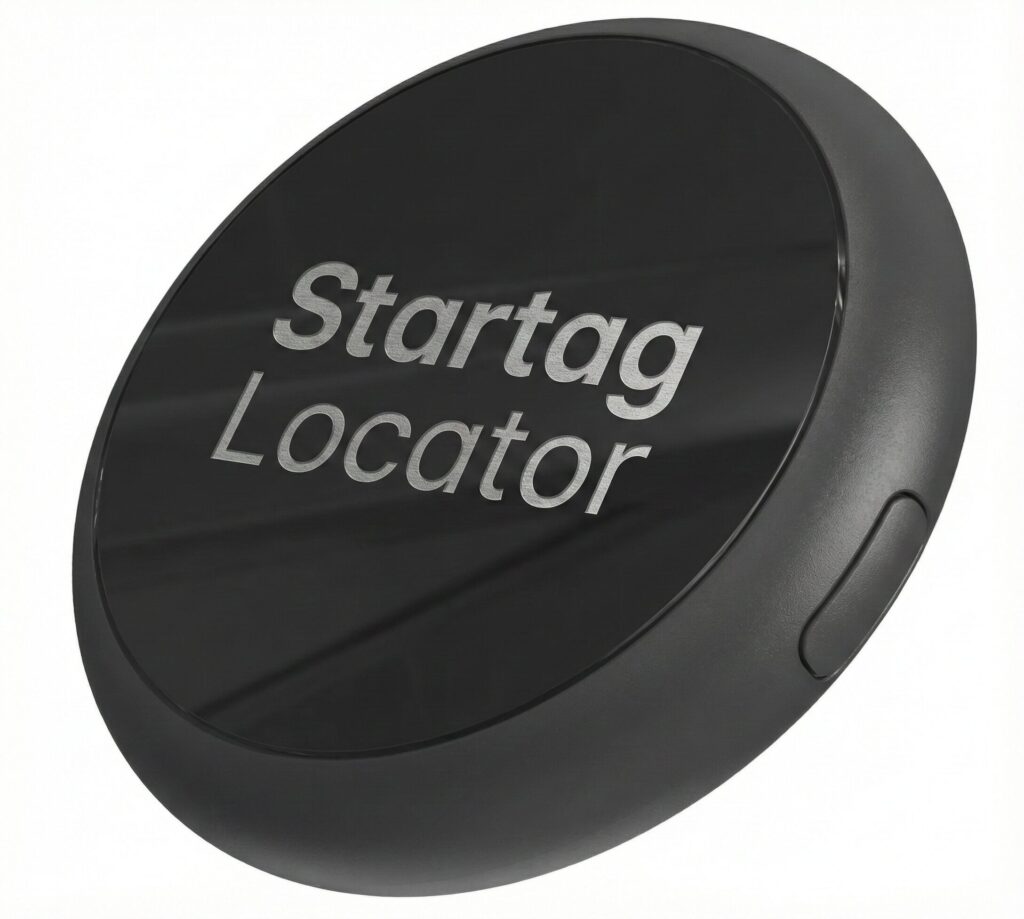
Startag Locator: Your Essentials, Always Found
The Startag Locator is a robust Bluetooth tracker engineered seamlessly for the Android ecosystem. Crafted from high-durability injection-molded plastic in a sleek matte black finish, it combines industrial strength with everyday utility.
Key Highlights:
-
Works with Google Find My Device: Leverage a network of over a billion Android devices to track your items anywhere in the world, securely and anonymously.
-
Precision Finding: Easily ring your Startag when it’s nearby or view its exact location on the map when it’s far away.
-
Durable Construction: The impact-resistant, lightweight body is designed to withstand daily wear and tear while maintaining a discreet profile.
-
Privacy First: Fully encrypted location data ensures only you can see where your items are.
Secure your valuables with the reliability of Startag and the power of Google.
How to put the device into pairing mode:
Locate the button on the side of the accessory. Long press the button for three seconds. A confirmation melody will sound.
How to disable the device’s Finder function:
While the device is operating, locate the button on the side of the accessory. Press and hold the button for three seconds. One confirmation beep will sound.
How to stop the device from ringing:
If the device is ringing, locate the button on the side of the accessory and press the button once. The accessory will emit one beep as a confirmation and then stop ringing.
How to re-enable the Finder function:
Locate the button on the side of the accessory. Long press the button for three seconds. A confirmation melody will sound.
How to set the device in factory reset:
Locate the button on the side of the accessory. Quickly press the button five times, a confirmation melody will sound.
How to put the device into identify mode/Learn more*:
Locate the button on the side of the accessory. Quickly press the button twice. Two long beeps will sound.